Wednesday, June 29, 2005
Tuesday, June 28, 2005
Google Earth
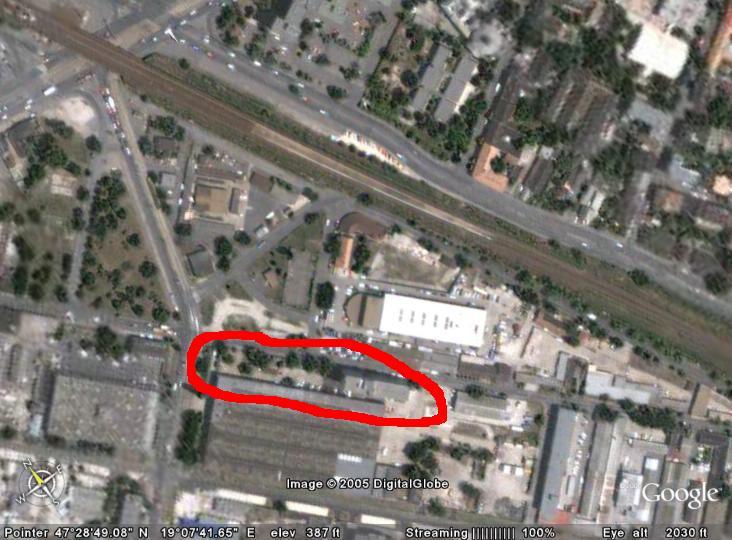
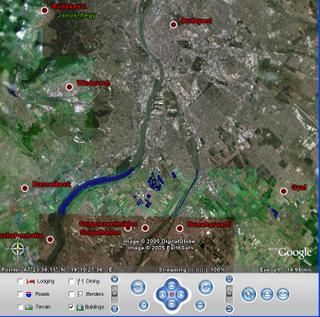
The idea is simple. It’s a globe that sits inside your PC. You point and zoom to anyplace on the planet that you want to explore. Satellite images and local facts zoom into view. Tap into Google search to show local points of interest and facts. Zoom to a specific address to check out an apartment or hotel. View driving directions and even fly along your route. We invite you to try it now.
Google Earth is free for personal use. No registration is required.
Elso probalkozasok:



Google Earth is free for personal use. No registration is required.
Elso probalkozasok:


Sunday, June 26, 2005
XSS cheatsheet
If you don't know how XSS (Cross Site Scripting) works, this page probably won't help you. This page is for people who already understand the basics of XSS but want a deep understanding of the nuances regarding filter evasion. This page will also not show you how to mitigate these risks or how to write the actual cookie/credential stealing portion of the attack. It will simply show the underlying attack vectors and you can infer the rest.
Saturday, June 25, 2005
malicious web sites to spoof dialog boxes
Secunia Research has discovered a vulnerability in various browsers, which can be exploited by malicious web sites to spoof dialog boxes.
The problem is that JavaScript dialog boxes do not display or include their origin, which allows a new window to open e.g. a prompt dialog box, which appears to be from a trusted site.

The vulnerability has been confirmed in Mozilla 1.7.8, FireFox 1.04, and Camino 0.8.4. Prior versions may also be affected.
Solution:
Do not browse untrusted web sites while browsing trusted sites.
The problem is that JavaScript dialog boxes do not display or include their origin, which allows a new window to open e.g. a prompt dialog box, which appears to be from a trusted site.
The vulnerability has been confirmed in Mozilla 1.7.8, FireFox 1.04, and Camino 0.8.4. Prior versions may also be affected.
Solution:
Do not browse untrusted web sites while browsing trusted sites.
Wednesday, June 22, 2005
Connected Files 2: elemei, datoteke, fitxategiak es persze fichiers
Ez meg az elozohoz tartozik:
For some languages, it is possible to use a localized equivalent of _files to create a subfolder for connected files. The following list contains the valid strings that can be appended to a document name to create a connected files subfolder. Note that some of these strings have a "-" character as their first character rather than a "_" or a "." character.
_archivos
_arquivos
_bestanden
_bylos
-Dateien
_datoteke
_dosyalar
_elemei
_failid
_fails
_fajlovi
_ficheiros
_fichiers
-filer
.files
_files
_file
_fitxers
_fitxategiak
_pliki
_soubory
_tiedostot
Ugyan meg ezt is irjak:
For additional information about the Connected Files feature, click the following link to view the Microsoft Web site:
http://msdn.microsoft.com/library/psdk/shellcc/shell/shell_basics/manage.htm#connected
de azota az url-eket megreformaltak es ezen az utvonalon csak ezt kapjuk:
We apologize for the inconvenience, but the location you are seeking cannot be found.
Ez lenne a javitott url: http://msdn.microsoft.com/library/default.asp?url=/library/en-us/shellcc/platform/shell/programmersguide/shell_basics/shell_basics_programming/manage.asp
Irtam nekik errol is, aztan majd meglatjuk javitjak-e.
For some languages, it is possible to use a localized equivalent of _files to create a subfolder for connected files. The following list contains the valid strings that can be appended to a document name to create a connected files subfolder. Note that some of these strings have a "-" character as their first character rather than a "_" or a "." character.
_archivos
_arquivos
_bestanden
_bylos
-Dateien
_datoteke
_dosyalar
_elemei
_failid
_fails
_fajlovi
_ficheiros
_fichiers
-filer
.files
_files
_file
_fitxers
_fitxategiak
_pliki
_soubory
_tiedostot
Ugyan meg ezt is irjak:
For additional information about the Connected Files feature, click the following link to view the Microsoft Web site:
http://msdn.microsoft.com/library/psdk/shellcc/shell/shell_basics/manage.htm#connected
de azota az url-eket megreformaltak es ezen az utvonalon csak ezt kapjuk:
We apologize for the inconvenience, but the location you are seeking cannot be found.
Ez lenne a javitott url: http://msdn.microsoft.com/library/default.asp?url=/library/en-us/shellcc/platform/shell/programmersguide/shell_basics/shell_basics_programming/manage.asp
Irtam nekik errol is, aztan majd meglatjuk javitjak-e.
Connected Files
Az MSDN-ben ezt irjak a SHFileOperation Function alatt:
Connecting Files
With Microsoft Windows 2000 or later, it is possible to connect an HTML file with a folder that contains related files such as Graphics Interchange Format (GIF) images or style sheets. If file connection is enabled, when you move or copy the HTML file, the folder and all of its files are moved or copied as well. Conversely, if you move the folder with the related files, the HTML file is also moved.
The HTML file must have a .htm or .html extension. You create the connection to the related files by placing the folder that contains them into the same folder as the HTML file. The name of the folder that contains the connected files must be the same as the name of the HTML file followed by "_files" or ".files" (this is case sensitive; for example, ".Files" does not work). An example is given here.
1. Create a file named Test.htm in the C:\Files directory (C:\Files\Test.htm).
2. Create a new folder named Test.files in the C:\Files directory (C:\Files\Text.files).
3. Populate the folder with a few files. Any file placed in this folder is connected to Test.htm.
4. Move or copy the Test.htm file to the C:\Files2 directory.
5. Note that the Test.files directory is now found in the C:\Files2 directory as well.
File connection is enabled by default. It can be disabled by adding a REG_DWORD value, NoFileFolderConnection, to this registry key.
HKEY_CURRENT_USER\Software\Microsoft\Windows\CurrentVersion\Explorer\NoFileFolderConnection
Setting NoFileFolderConnection to 1 disables file connection. If the value is set to zero or is missing, file connection is enabled.
Irtam nekik, hogy a peldajuk masodik pontjaban a "C:\Files\Text.files" reszt javitsak ki "C:\Files\Test.files"-re. Majd meglatjuk mi lesz.
Innen jutottam el a SHFileOperation oldalra.
Connecting Files
With Microsoft Windows 2000 or later, it is possible to connect an HTML file with a folder that contains related files such as Graphics Interchange Format (GIF) images or style sheets. If file connection is enabled, when you move or copy the HTML file, the folder and all of its files are moved or copied as well. Conversely, if you move the folder with the related files, the HTML file is also moved.
The HTML file must have a .htm or .html extension. You create the connection to the related files by placing the folder that contains them into the same folder as the HTML file. The name of the folder that contains the connected files must be the same as the name of the HTML file followed by "_files" or ".files" (this is case sensitive; for example, ".Files" does not work). An example is given here.
1. Create a file named Test.htm in the C:\Files directory (C:\Files\Test.htm).
2. Create a new folder named Test.files in the C:\Files directory (C:\Files\Text.files).
3. Populate the folder with a few files. Any file placed in this folder is connected to Test.htm.
4. Move or copy the Test.htm file to the C:\Files2 directory.
5. Note that the Test.files directory is now found in the C:\Files2 directory as well.
File connection is enabled by default. It can be disabled by adding a REG_DWORD value, NoFileFolderConnection, to this registry key.
HKEY_CURRENT_USER\Software\Microsoft\Windows\CurrentVersion\Explorer\NoFileFolderConnection
Setting NoFileFolderConnection to 1 disables file connection. If the value is set to zero or is missing, file connection is enabled.
Irtam nekik, hogy a peldajuk masodik pontjaban a "C:\Files\Text.files" reszt javitsak ki "C:\Files\Test.files"-re. Majd meglatjuk mi lesz.
Innen jutottam el a SHFileOperation oldalra.
Friday, June 17, 2005
celebrate.digitalbrain.com
CELEBRATE is a 30-month, € 5m Information Society Technology project supported by the European Commission. The main task is to create an innovative approach to teaching using eLearning technologies, based on a vision of what electronic content (resources, services and communication tools) may look like in the future.
A key aim of the project is to investigate how LOs can be handled by a new generation of Learning Content Management Systems (LCMS) from a variety of different vendors and to test the interoperability of these systems in a real-life demonstrator. It is intended that CELEBRATE will act as a catalyst for the European eLearning content industry (the entire value-chain including content owners, publishers, broadcasters, national school networks and technology platform vendors).
The project's evaluation activities particularly analyse the extent to which new, more flexible forms of content development and distribution (based on reusable LOs) impact upon the learning process and support a new pedagogy for eLearning in schools based on constructivist learning models. In particular, the project will assess how the use of LOs encourages the development of key ‘digital-age’ skills such as collaborative working, creativity, inter-disciplinary awareness, adaptiveness, intercultural communication and problem-solving.
Rengeteg tananyag kerult fel magyarul. Jelenleg ezeket talaltam:
Biológia:
A harántcsíkolt izom
A HIV-vírus terjedése
A női ciklus
Mendel kísérlete
Párologtatás
A fotoszintézis sötétszakasza
A fotoszintézis fényszakasza
Aktív transzport
Passzív transzportok
Az ember szaporodása
A növények magánélete
Gerincesek rendszer és élettana
Fizika:
A helyzeti energia
A munka
Az energia
Az energiamegmaradás
Felületi hullámok
Homorú tükör
Súlypont
A Nap
Húrok hangja
Pálcák hangja
Doppler-jelenség
Állóhullámok
Arkhimédész törvénye
Hidrosztatika
Elektrosztatika
Kirchhoff I. törvényének alkalmazása
Kirchhoff II. törvényének alkalmazása
A síkkondenzátor
Energia a háztartásban
Önindukció
Fénytörés
Az egyszerű gépek
Vékony lencsék
Súlytalanság
Körmozgás
Szabadesés
Soros RLC-kör
Kondenzátorok kapcsolásai
Áramköri elemek
Áramlások
Kepler I. törvénye
Kepler II. törvénye
Kepler III. törvénye
Maghasadás és láncreakció
Az atombomba
A prizma
Sztatika
Mûszerek kapcsolása
Lámpák és elemek kapcsolásai
Ellenállás
A víz három halmazállapota
Ellenállások kapcsolásai
Dióda
Tranzisztor
Tranzisztorok alkalmazásai
MRI- Orvosi Nobel Díj
Az ÉS kapu
A VAGY kapu
Gyakoribb légköri fényjelenségek
Villám és mennydörgés
A fény diszperziója
A fény diszperziója 2
Csillagászati összefoglalás
Atomfizika
Exponenciális bomlástörvény
Bomlási sorok
Klasszikus atommodellek
Hullámok
A sűrűség
Radioaktivitás
Atommodellek
Kémia:
A kémhatás
Az atomok elektronszerkezete
Galvánelemek
A szén 1 (A természetes módosulatok)
A szén 2 (Az amorf szén)
A periódusos rendszer
Szappanok mosóhatása
Metán
Standardpotenciál
Aluminium
A molekulák szerkezete
A kovalens kötés
Az ionkötés
Matematika:
A parabola
Húrnégyszögek
Középponti és kerületi szögek
Mûveletek vektorokkal
Thalész tétele
Statisztikai adatok és ábrázolásuk
Tizedestörtek
Statisztikai közepek
Adatok szóródása
Körök kölcsönös helyzetei a síkban
Addíciós tételek
A koszinusztétel
A szinusztétel
mértani helyek
A szög mérése
A koszinuszfüggvény
Statisztikai gyakorló feladatok
A szinuszfüggvény
Négyszögek
Az utazó ügynök
Geometria
Geometriai transzformációk
Sir William játékai
Euler hídjai
Gráfokról röviden
Memory
Statisztikai alapfogalmak
Vegyes:
Találd ki Európa
Magyarország megyéi
Európai országok
A tükrök
A szinusz és koszinusz szögfüggvények általánosítása
Ásványvizek
A számítógép
Latin
A számítógép fontosabb hardver részei
Magyar nyelvtan-Helyesírási fejlesztő
Éghajlat
Ázsia földrajza
Az I. világháborút lezáró békerendszer
A légszennyezéssel kapcsolatos anyag
Lemeztektonika
A jég
A key aim of the project is to investigate how LOs can be handled by a new generation of Learning Content Management Systems (LCMS) from a variety of different vendors and to test the interoperability of these systems in a real-life demonstrator. It is intended that CELEBRATE will act as a catalyst for the European eLearning content industry (the entire value-chain including content owners, publishers, broadcasters, national school networks and technology platform vendors).
The project's evaluation activities particularly analyse the extent to which new, more flexible forms of content development and distribution (based on reusable LOs) impact upon the learning process and support a new pedagogy for eLearning in schools based on constructivist learning models. In particular, the project will assess how the use of LOs encourages the development of key ‘digital-age’ skills such as collaborative working, creativity, inter-disciplinary awareness, adaptiveness, intercultural communication and problem-solving.
Rengeteg tananyag kerult fel magyarul. Jelenleg ezeket talaltam:
Biológia:
A harántcsíkolt izom
A HIV-vírus terjedése
A női ciklus
Mendel kísérlete
Párologtatás
A fotoszintézis sötétszakasza
A fotoszintézis fényszakasza
Aktív transzport
Passzív transzportok
Az ember szaporodása
A növények magánélete
Gerincesek rendszer és élettana
Fizika:
A helyzeti energia
A munka
Az energia
Az energiamegmaradás
Felületi hullámok
Homorú tükör
Súlypont
A Nap
Húrok hangja
Pálcák hangja
Doppler-jelenség
Állóhullámok
Arkhimédész törvénye
Hidrosztatika
Elektrosztatika
Kirchhoff I. törvényének alkalmazása
Kirchhoff II. törvényének alkalmazása
A síkkondenzátor
Energia a háztartásban
Önindukció
Fénytörés
Az egyszerű gépek
Vékony lencsék
Súlytalanság
Körmozgás
Szabadesés
Soros RLC-kör
Kondenzátorok kapcsolásai
Áramköri elemek
Áramlások
Kepler I. törvénye
Kepler II. törvénye
Kepler III. törvénye
Maghasadás és láncreakció
Az atombomba
A prizma
Sztatika
Mûszerek kapcsolása
Lámpák és elemek kapcsolásai
Ellenállás
A víz három halmazállapota
Ellenállások kapcsolásai
Dióda
Tranzisztor
Tranzisztorok alkalmazásai
MRI- Orvosi Nobel Díj
Az ÉS kapu
A VAGY kapu
Gyakoribb légköri fényjelenségek
Villám és mennydörgés
A fény diszperziója
A fény diszperziója 2
Csillagászati összefoglalás
Atomfizika
Exponenciális bomlástörvény
Bomlási sorok
Klasszikus atommodellek
Hullámok
A sűrűség
Radioaktivitás
Atommodellek
Kémia:
A kémhatás
Az atomok elektronszerkezete
Galvánelemek
A szén 1 (A természetes módosulatok)
A szén 2 (Az amorf szén)
A periódusos rendszer
Szappanok mosóhatása
Metán
Standardpotenciál
Aluminium
A molekulák szerkezete
A kovalens kötés
Az ionkötés
Matematika:
A parabola
Húrnégyszögek
Középponti és kerületi szögek
Mûveletek vektorokkal
Thalész tétele
Statisztikai adatok és ábrázolásuk
Tizedestörtek
Statisztikai közepek
Adatok szóródása
Körök kölcsönös helyzetei a síkban
Addíciós tételek
A koszinusztétel
A szinusztétel
mértani helyek
A szög mérése
A koszinuszfüggvény
Statisztikai gyakorló feladatok
A szinuszfüggvény
Négyszögek
Az utazó ügynök
Geometria
Geometriai transzformációk
Sir William játékai
Euler hídjai
Gráfokról röviden
Memory
Statisztikai alapfogalmak
Vegyes:
Találd ki Európa
Magyarország megyéi
Európai országok
A tükrök
A szinusz és koszinusz szögfüggvények általánosítása
Ásványvizek
A számítógép
Latin
A számítógép fontosabb hardver részei
Magyar nyelvtan-Helyesírási fejlesztő
Éghajlat
Ázsia földrajza
Az I. világháborút lezáró békerendszer
A légszennyezéssel kapcsolatos anyag
Lemeztektonika
A jég
Sunday, June 12, 2005
Scott Mitchell: Enter and the Button Click Event
Of particular interest to ASP.NET developers, though, is that when creating an ASP.NET Web Form hitting Enter to submit the form seemingly sometimes causes the page's Button Web control's Click event to fire, and other times not. In this short article we'll see under what conditions a Button Web control's Click event might not fire when the user submits the page hitting Enter; furthermore, we'll look at a workaround.
A lenyeg:
The issue centers around the way that Internet Explorer posts back the form's controls when hitting enter in a form with only one single-line textbox. Specifically, Internet Explorer does not include the submit button's name/value pair in the post body. Since the submit button's name/value pair is not sent back, the ASP.NET engine cannot determine what induced the postback and therefore can't raise the appropriate Button Web control's
...
Without the information as to what button caused the postback, the ASP.NET engine cannot raise the corresponding button's
For additional information about Enter and form submission, as well as JavaScript techniques for disabling submissions via Enter and ensuring submissions via Enter (for older browsers), be sure to check out the following articles:
FORM submission and the ENTER key?
Using JavaScript to prevent or trigger form submission when ENTER is hit
FAQs relating to 'Pressing Enter Key for Form Submission'
A lenyeg:
The issue centers around the way that Internet Explorer posts back the form's controls when hitting enter in a form with only one single-line textbox. Specifically, Internet Explorer does not include the submit button's name/value pair in the post body. Since the submit button's name/value pair is not sent back, the ASP.NET engine cannot determine what induced the postback and therefore can't raise the appropriate Button Web control's
Click event....
Without the information as to what button caused the postback, the ASP.NET engine cannot raise the corresponding button's
Click event. Hence, if you have a Web Form with just one single-line text input (even if there are additional input fields, like CheckBoxLists, RadioButtonLists, DropDownLists, and so on), hitting enter in the text input will not cause the Button Web control's Click event to fire when using Internet Explorer - other browsers, such as FireFox, always send back the button's name/value pair, even if there is only one text input.For additional information about Enter and form submission, as well as JavaScript techniques for disabling submissions via Enter and ensuring submissions via Enter (for older browsers), be sure to check out the following articles:
FORM submission and the ENTER key?
Using JavaScript to prevent or trigger form submission when ENTER is hit
FAQs relating to 'Pressing Enter Key for Form Submission'
Saturday, June 11, 2005
Greg Wilson: Top Ten Data Crunching Tips and Tricks
Every day, all over the world, programmers have to recycle legacy data, translate from one vendor's proprietary format into another's, check configuration files, and yank data out of web server logs. This kind of programming is usually called data crunching, and while it's not glamorous, knowing how to do it with the least amount of effort can make the difference between meeting a deadline and making another pot of coffee. These ten tips will take the headache out of crunching data.
1. Master the Classic Tools
2. Separate Input, Processing, and Output
3. Store Format Information in the Data Itself
4. Understand International Character Sets
5. Use Reluctant Matches and Graphical Tools
6. Nest and Subtract to Negate
7. Check for Holes
8. Use XSLT (with Caveats)
9. Use XPath Without Using XSLT
10. Check Your Work
1. Master the Classic Tools
2. Separate Input, Processing, and Output
3. Store Format Information in the Data Itself
4. Understand International Character Sets
5. Use Reluctant Matches and Graphical Tools
6. Nest and Subtract to Negate
7. Check for Holes
8. Use XSLT (with Caveats)
9. Use XPath Without Using XSLT
10. Check Your Work
Tuesday, June 07, 2005
Ian Suttle: Applying AJAX Using ASP.NET 1.1
You’ve heard of it. It is the latest buzz term for web programmers these days. AJAX is an acronym that stands for Asynchronous JavaScript and XML. AJAX gains its popularity by allowing data on a page to be dynamically updated without having to make the browser reload the page. I will describe more about how AJAX works, and then go into some sample code to try out.
Ami a GetUsernameList()-ben tortenik az eleg csunya, de itt most nem is ez a lenyeg.
Ami a GetUsernameList()-ben tortenik az eleg csunya, de itt most nem is ez a lenyeg.
Saturday, May 21, 2005
Chip Chapin: Chip's CD Media Resource Center
What's Here
This document contains basic practical information for users of CD media, especially CD-recordable, or CD-R. Serious users of CD-R will naturally have several important questions about the medium, including:
* What kind should I buy?
* How long will they last?
* Does recording speed matter?
This document provides answers (with varying degrees of authority) for each of these questions.
Besides the basic information, I felt it necessary or worthwhile to include some detailed background information about the structure and organization of the discs. How many bits are stored on CD? Lots more than most people realize. This was the type of information that I thought would be easy to find on the internet in the year 2000. But it wasn't. I had to check and compare a number of different sources in order to pull it all together.
Disclaimer: I am not now, nor ever have been, an expert on CD media. These were my own questions. In researching the answers for myself I wrote this document. -- Chip
Why This Document?
In December 2000 I completed a project transferring about 5 hours of audio interviews with elder family members to audio CDs using CD-Rs. My intent was that the discs would last for at least one family generation (25 years or more).
But the very day that I sent out copies to various family members I began to worry about how long these CD-Rs would last. I vaguely recalled hearing something about the instability of the dye layer. I didn't know what the "dye layer" was -- perhaps it would fade or run? Kodak offers CD-Rs that are supposed to last 12 times longer (than what?). Should I redo all the copies using these special archival (i.e. "more expensive") media?
I also began to worry that I had erred in recording my discs at high speed (8x). One of my friends had heard that CD-R creation is somehow better when done at low speed (1x or 2x). I know that low speed duplication is superior for analog tape, but it had never occurred to me that it could make any difference to a digital medium.
Anyway, having no real idea of how long CD-Rs would last, or of the real differences between "gold" and "silver" discs, etc., I decided to research the questions. My results are summarized here, along with many links that I found helpful along the way.
This document contains basic practical information for users of CD media, especially CD-recordable, or CD-R. Serious users of CD-R will naturally have several important questions about the medium, including:
* What kind should I buy?
* How long will they last?
* Does recording speed matter?
This document provides answers (with varying degrees of authority) for each of these questions.
Besides the basic information, I felt it necessary or worthwhile to include some detailed background information about the structure and organization of the discs. How many bits are stored on CD? Lots more than most people realize. This was the type of information that I thought would be easy to find on the internet in the year 2000. But it wasn't. I had to check and compare a number of different sources in order to pull it all together.
Disclaimer: I am not now, nor ever have been, an expert on CD media. These were my own questions. In researching the answers for myself I wrote this document. -- Chip
Why This Document?
In December 2000 I completed a project transferring about 5 hours of audio interviews with elder family members to audio CDs using CD-Rs. My intent was that the discs would last for at least one family generation (25 years or more).
But the very day that I sent out copies to various family members I began to worry about how long these CD-Rs would last. I vaguely recalled hearing something about the instability of the dye layer. I didn't know what the "dye layer" was -- perhaps it would fade or run? Kodak offers CD-Rs that are supposed to last 12 times longer (than what?). Should I redo all the copies using these special archival (i.e. "more expensive") media?
I also began to worry that I had erred in recording my discs at high speed (8x). One of my friends had heard that CD-R creation is somehow better when done at low speed (1x or 2x). I know that low speed duplication is superior for analog tape, but it had never occurred to me that it could make any difference to a digital medium.
Anyway, having no real idea of how long CD-Rs would last, or of the real differences between "gold" and "silver" discs, etc., I decided to research the questions. My results are summarized here, along with many links that I found helpful along the way.
Andy McFadden's CD-Recordable FAQ
What does this FAQ cover (and not cover)?
This document attempts to answer Frequently Asked Questions about Compact Disc Recordable technology and related fields. It was originally developed as a Usenet newsgroup FAQ, and is updated and posted about once a month. The main foci are explaining CD-R technology, describing hardware and software solutions for creating audio CDs and CD-ROMs, and helping people find solutions to common problems.
The FAQ is heavily biased toward PCs and computer-based recorders, because that's what I'm most familiar with, but I have made an effort to include useful information for owners of other equipment. I don't anticipate the section on stand-alone audio CD recorders expanding greatly, because they're far simpler to operate than computer-based recorders, and most of the "must know" information about them is more appropriate in an FAQ on stereo systems or studio recording. I do try to address deficiencies in Macintosh coverage.
I don't usually address questions that can be phrased, "how do I make my software do this?" The answers to those should be in the manual that came with your software. In general, this is a collection of answers to specific questions, not a "how to" guide. I have tried to make the answers easy to understand by an inexperienced user, but if you know absolutely nothing about recording CDs then some sections may be confusing.
This is not a newsletter. Actively maintained web sites are a much better source of breaking news than this document, which is updated at most once a month. I also don't try to track moving targets, like CD recorder firmware versions or software versions unless a specific release is especially interesting. Ditto for which recorders work with which packet-writing solutions, or which recorders can overburn.
This FAQ does not, and will not, cover DVD, DVD-ROM, DVD-R, DVD-RAM, DVD-RW, DVD+RW, or any of the other formats in the ever-expanding DVD morass. There are other resources on the web for DVD topics.
You will not find a lot of detail about "backing up" copy-protected software, or where to find unlock codes or "warez". There are many web sites that explain these matters at length.
This document attempts to answer Frequently Asked Questions about Compact Disc Recordable technology and related fields. It was originally developed as a Usenet newsgroup FAQ, and is updated and posted about once a month. The main foci are explaining CD-R technology, describing hardware and software solutions for creating audio CDs and CD-ROMs, and helping people find solutions to common problems.
The FAQ is heavily biased toward PCs and computer-based recorders, because that's what I'm most familiar with, but I have made an effort to include useful information for owners of other equipment. I don't anticipate the section on stand-alone audio CD recorders expanding greatly, because they're far simpler to operate than computer-based recorders, and most of the "must know" information about them is more appropriate in an FAQ on stereo systems or studio recording. I do try to address deficiencies in Macintosh coverage.
I don't usually address questions that can be phrased, "how do I make my software do this?" The answers to those should be in the manual that came with your software. In general, this is a collection of answers to specific questions, not a "how to" guide. I have tried to make the answers easy to understand by an inexperienced user, but if you know absolutely nothing about recording CDs then some sections may be confusing.
This is not a newsletter. Actively maintained web sites are a much better source of breaking news than this document, which is updated at most once a month. I also don't try to track moving targets, like CD recorder firmware versions or software versions unless a specific release is especially interesting. Ditto for which recorders work with which packet-writing solutions, or which recorders can overburn.
This FAQ does not, and will not, cover DVD, DVD-ROM, DVD-R, DVD-RAM, DVD-RW, DVD+RW, or any of the other formats in the ever-expanding DVD morass. There are other resources on the web for DVD topics.
You will not find a lot of detail about "backing up" copy-protected software, or where to find unlock codes or "warez". There are many web sites that explain these matters at length.
Wednesday, May 18, 2005
Memoriakartyak digitalis fenykepezogepekhez
Az index cikke cimszavakban:
Jelenleg forgalomban lévő legfontosabb kártyatípusok
De vajon mennyire elterjedtek az egyes típusok?
Árak
Milyet vegyünk?
Milyen sebességűt?
Mekkora kapacitásút vásároljunk?
A szokásos kérdés: márkásat vagy nem márkásat vegyek?
Speciális kártyák
A cikkben tobb helyen emlegetett RAW formatum:
A felsőbb kategóriás digitális fényképezőgépek többsége lehetővé teszi az érzékelő (CCD vagy CMOS) által rögzített képeket feldolgozás nélkül, nyers (RAW) formátumban történő elmentését. A módszer előnye, hogy a kép sokkal több információt tartalmaz, mint amit a JPEG formátumban le lehet tárolni, így a kép expozíciójának, fehéregyensúlyának és egyéb jellemzőjének állítása, finomhangolása utólag is "büntetés nélkül" elvégezhető. A nyers formátum használatának a hátránya, hogy a képek utólagos feldolgozás nélkül használhatatlanok. A nyers formátumot digitális negatívként is emlegetik.
Jelenleg forgalomban lévő legfontosabb kártyatípusok
De vajon mennyire elterjedtek az egyes típusok?
Árak
Milyet vegyünk?
Milyen sebességűt?
Mekkora kapacitásút vásároljunk?
A szokásos kérdés: márkásat vagy nem márkásat vegyek?
Speciális kártyák
A cikkben tobb helyen emlegetett RAW formatum:
A felsőbb kategóriás digitális fényképezőgépek többsége lehetővé teszi az érzékelő (CCD vagy CMOS) által rögzített képeket feldolgozás nélkül, nyers (RAW) formátumban történő elmentését. A módszer előnye, hogy a kép sokkal több információt tartalmaz, mint amit a JPEG formátumban le lehet tárolni, így a kép expozíciójának, fehéregyensúlyának és egyéb jellemzőjének állítása, finomhangolása utólag is "büntetés nélkül" elvégezhető. A nyers formátum használatának a hátránya, hogy a képek utólagos feldolgozás nélkül használhatatlanok. A nyers formátumot digitális negatívként is emlegetik.
Monday, May 16, 2005
kepregeny.net
Igy jellemzik magukat:
-Egy oldal mindazoknak akik szeretik a képregényeket, kortól és nemtől függetlenül...
-Egy oldal, ahol lelkes (amatőr) fordítók és beírók egyre népesebb csapata igyekszik igényes tálalásban, magyar nyelven közkinccsé tenni a világ válogatott képregényirodalmát...
-Egy oldal, ahol rábukkanhatunk gyermekkorunk kedvenc képregényeire...
-Egy oldal, ahol hasonló erdeklődésű emberekkel oszthatjuk meg véleményünket, ötleteinket... akár a gondjainkat is...
-Egy oldal, ahol mindig friss információkat kaphatunk erről a hazánkban kissé háttérbe szorult művészeti ágról és az ahhoz kapcsolódó eseményekről, rendezvényekről...
Ebbol nekem a 3. pont tetszett legjobban. Tobbek kozott ilyeneket talaltam:
Asterix
Dr Bubo
Fix es Foxi
Kockas
Lucky Luke
Mezga Csalad
Mozaik
Pif
Pifu
Rejto Sorozat
Tarzan
-Egy oldal mindazoknak akik szeretik a képregényeket, kortól és nemtől függetlenül...
-Egy oldal, ahol lelkes (amatőr) fordítók és beírók egyre népesebb csapata igyekszik igényes tálalásban, magyar nyelven közkinccsé tenni a világ válogatott képregényirodalmát...
-Egy oldal, ahol rábukkanhatunk gyermekkorunk kedvenc képregényeire...
-Egy oldal, ahol hasonló erdeklődésű emberekkel oszthatjuk meg véleményünket, ötleteinket... akár a gondjainkat is...
-Egy oldal, ahol mindig friss információkat kaphatunk erről a hazánkban kissé háttérbe szorult művészeti ágról és az ahhoz kapcsolódó eseményekről, rendezvényekről...
Ebbol nekem a 3. pont tetszett legjobban. Tobbek kozott ilyeneket talaltam:
Asterix
Dr Bubo
Fix es Foxi
Kockas
Lucky Luke
Mezga Csalad
Mozaik
Pif
Pifu
Rejto Sorozat
Tarzan
Friday, May 13, 2005
[MS Word] a PageSetup.PaperSize megvaltoztatasa atallitja a PageSetup.Orientation-t is
Ha kodbol szeretne az ember elfektetni a papirjat es beallitani a papirmeretet is, akkor vigyazni kell a sorrendre, mert a
akkor ugyanugy allo papirja lesz, mintha el se fektette volna. Ezert jobb a forditott sorrend:
Nem hiszem, hogy ez lenne a normalis mukodes. Inkabb valami hibanak tunik. Igy mukodik a 7-es Word-ben es a 11-esben is.
Ezzel a macro-val ki lehet probalni:
PageSetup.PaperSize megvaltoztatasa automatikusan atallitja a PageSetup.Orientation-t wdOrientPortrait-ra (0), tehat ha valaki azt irja, hogy:
doc.Sections(1).PageSetup.Orientation = wdOrientLandscape
doc.Sections(1).PageSetup.PaperSize = wdPaperA4
akkor ugyanugy allo papirja lesz, mintha el se fektette volna. Ezert jobb a forditott sorrend:
doc.Sections(1).PageSetup.PaperSize = wdPaperA4
doc.Sections(1).PageSetup.Orientation = wdOrientLandscape
Nem hiszem, hogy ez lenne a normalis mukodes. Inkabb valami hibanak tunik. Igy mukodik a 7-es Word-ben es a 11-esben is.
Ezzel a macro-val ki lehet probalni:
Sub ChangeOrientation()

    Dim doc

    Set doc = Documents.Add()
    Call MsgBox(doc.Sections(1).PageSetup.Orientation)
    doc.Sections(1).PageSetup.Orientation = wdOrientLandscape
    Call MsgBox(doc.Sections(1).PageSetup.Orientation)
    doc.Sections(1).PageSetup.PaperSize = wdPaperA4
    Call MsgBox(doc.Sections(1).PageSetup.Orientation)

End Sub
Wednesday, May 11, 2005
Method Studios
Ok keszitettek az a Powerade reklamot, amiben James dobalja az egeszpalyasokat. Csinaltak egy halom mas dolgot is, amibol sokminden megtekintheto az oldalukon.
Peldaul:
A kosarlabda az ember legjobb baratja.
A kosarlabda nem is olyan jo barat.
Peldaul:
A kosarlabda az ember legjobb baratja.
A kosarlabda nem is olyan jo barat.
Sunday, May 08, 2005
Scott Mitchell: Why I Don't Use DataSets in My ASP.NET Applications
...during my talk I mentioned how I, personally, rarely, if ever, use DataSets in my ASP.NET applications, sticking with the good ol' DataReader instead. Since then I have received a number of emails from attendees asking me why I don't use DataSets. Rather than responding to each questioner individually, I decided to write this article explaining my rationale.
A lenyeg:
Simply put, the DataSet's increased feature set makes it a less performant choice for reading data than the DataReader.
2 forrasra hivatkozik:
- According to A Speed Freak's Guide to Retrieving Data in ADO.NET, the DataReader is roughly thirty times more performant than the DataSet.
- Additional statistics can be found at Performance Comparison: Data Access Techniques, which compares the DataSet and DataReader against a number of common data access scenarios. The end result is that the DataReader is more performant than the DataSet, although this particular article's results do not show as large a performance difference between these two data objects as the Speed Freak article does.
Felteszi a kerdest: When is a DataSet Useful?
Es 2 ilyen lehetoseget hoz fel:
-In a desktop, WinForms application.
-For sending/receiving remote database information or for allowing communication between disparate platforms.
De hozzateszi:
Now, how often are you doing either of these things in your day-to-day ASP.NET development? Hardly ever, I'd wager, which is why you probably shouldn't be using DataSets! While the ASP.NET data Web controls are rather indifferent on what data object you use, you are suffering from a performance loss by choosing to use a DataSet.
A konkluzioja:
In this article we examined the fundamentals of the two data access objects provided by ADO.NET: the DataReader and the DataSet. Both objects have their time and place in .NET applications but, in my opinion, DataSets are rarely, if ever, useful in ASP.NET Web applications. There are exceptions, granted, but for the majority of Web applications, DataReaders should be used exclusively.
A lenyeg:
Simply put, the DataSet's increased feature set makes it a less performant choice for reading data than the DataReader.
2 forrasra hivatkozik:
- According to A Speed Freak's Guide to Retrieving Data in ADO.NET, the DataReader is roughly thirty times more performant than the DataSet.
- Additional statistics can be found at Performance Comparison: Data Access Techniques, which compares the DataSet and DataReader against a number of common data access scenarios. The end result is that the DataReader is more performant than the DataSet, although this particular article's results do not show as large a performance difference between these two data objects as the Speed Freak article does.
Felteszi a kerdest: When is a DataSet Useful?
Es 2 ilyen lehetoseget hoz fel:
-In a desktop, WinForms application.
-For sending/receiving remote database information or for allowing communication between disparate platforms.
De hozzateszi:
Now, how often are you doing either of these things in your day-to-day ASP.NET development? Hardly ever, I'd wager, which is why you probably shouldn't be using DataSets! While the ASP.NET data Web controls are rather indifferent on what data object you use, you are suffering from a performance loss by choosing to use a DataSet.
A konkluzioja:
In this article we examined the fundamentals of the two data access objects provided by ADO.NET: the DataReader and the DataSet. Both objects have their time and place in .NET applications but, in my opinion, DataSets are rarely, if ever, useful in ASP.NET Web applications. There are exceptions, granted, but for the majority of Web applications, DataReaders should be used exclusively.
Sunday, May 01, 2005
153
"Simon Peter went up, and drew the net to land full of great fishes, an hundred and fifty and three: and for all there were so many, yet was not the net broken." (John 21:11)
153 is a neat number. Here are four reasons:
1. 153 = 1+2+3+4+5+6+7+8+9+10+11+12+13+14+15+16+17
2. 153 = 1! + 2! + 3! + 4! + 5! (i.e., 1 + (1 x 2) + (1 x 2 x 3) + (1 x 2 x 3 x 4) + (1 x 2 x 3 x 4 x 5))
3. 153 = 13 + 53 + 33
4. 153 lies dormant in every third number. Take any multiple of three, sum the cubes of its digits, take the result, sum the cubes of its digits, take the results, etc. Believe me. You eventually get 153. Take 12, for example.
13 + 23 = 9.
93 = 729.
73 + 23 + 93 = 1080.
13 + 03 + 83 + 03 = 513.
Finally, 53 + 13 + 33 = 153.
forras
153 is a neat number. Here are four reasons:
1. 153 = 1+2+3+4+5+6+7+8+9+10+11+12+13+14+15+16+17
2. 153 = 1! + 2! + 3! + 4! + 5! (i.e., 1 + (1 x 2) + (1 x 2 x 3) + (1 x 2 x 3 x 4) + (1 x 2 x 3 x 4 x 5))
3. 153 = 13 + 53 + 33
4. 153 lies dormant in every third number. Take any multiple of three, sum the cubes of its digits, take the result, sum the cubes of its digits, take the results, etc. Believe me. You eventually get 153. Take 12, for example.
13 + 23 = 9.
93 = 729.
73 + 23 + 93 = 1080.
13 + 03 + 83 + 03 = 513.
Finally, 53 + 13 + 33 = 153.
forras
Friendly Numbers
Pythagoras considered 220 and 284 to be friendly (or amicable). He even wrote: "[A friend] is the other I, such as are 220 and 284". Aristotle also used the notion of friendly numbers to characterize friendship (in his work "Ethics"). So what makes the numbers 220 and 284 so special? Their property is that each is equal to the sum of the other's proper divisors. The proper divisors of 220 are 1, 2, 4, 5, 10, 11, 20, 22, 44, 55, and 110, and they sum up to 284; the proper divisors of 284 are 1, 2, 4, 71, and 142, and they sum up to 220.
Itt olvashato Ibn Qurra Ibrahim friendly numbers kereso algoritumusa.
Itt olvashato Ibn Qurra Ibrahim friendly numbers kereso algoritumusa.
CuriousMath.com :: Math is an attitude
Want to learn how to quickly square a number that ends in 5? Or how to tell if a number is divisible by 3? Or maybe you'd like to know why the number 153 in the Bible is such an interesting number? That's the kind of fun and fascinating math tricks and trivia you'll find here at CuriousMath.com.
Friday, April 29, 2005
Not Another C# Versus VB Article
This article explains the benefits of a Microsoft .NET application development organization coding in C# versus coding in VB.
Saturday, April 09, 2005
EqWorld - The World of Mathematical Equations
Equations play a crucial role in modern mathematics and form the basis for mathematical modelling of numerous phenomena and processes in science and engineering.
The EqWorld website presents extensive information on solutions to various classes of ordinary differential, partial differential, integral, functional, and other mathematical equations. It also outlines some methods for solving equations, includes interesting articles, gives links to mathematical websites, lists useful handbooks and monographs, and refers to scientific publishers, journals, etc.
The EqWorld website presents extensive information on solutions to various classes of ordinary differential, partial differential, integral, functional, and other mathematical equations. It also outlines some methods for solving equations, includes interesting articles, gives links to mathematical websites, lists useful handbooks and monographs, and refers to scientific publishers, journals, etc.
David Eppstein oldala
Van itt sokminden, peldaul:
Number-Theoretic Hacks: I have implemented a number of simple number-theoretic algorithms for my own amusement, and provide them here on the net.
Combinatorial Game Theory: Combinatorial Game Theory studies strategies and mathematics of two-player games of perfect knowledge such as chess or go (but often either concentrating instead on simpler games such as nim, or solving endgames and other special cases). An important distinction between this subject and classical game theory (a branch of economics) is that game players are assumed to move in sequence rather than simultanously, so there is no point in randomization or other information-hiding strategies.
Geometry in Action: This page collects various areas in which ideas from discrete and computational geometry (meaning mainly low-dimensional Euclidean geometry) meet some real world applications. It contains brief descriptions of those applications and the geometric questions arising from them, as well as pointers to web pages on the applications themselves and on their geometric connections. This is largely organized by application but some major general techniques are also listed as topics.
The Geomety Junkyard: These pages contain usenet clippings, web pointers, lecture notes, research excerpts, papers, abstracts, programs, problems, and other stuff related to discrete and computational geometry. Some of it is quite serious, but I hope much of it is also entertaining.
Number-Theoretic Hacks: I have implemented a number of simple number-theoretic algorithms for my own amusement, and provide them here on the net.
Combinatorial Game Theory: Combinatorial Game Theory studies strategies and mathematics of two-player games of perfect knowledge such as chess or go (but often either concentrating instead on simpler games such as nim, or solving endgames and other special cases). An important distinction between this subject and classical game theory (a branch of economics) is that game players are assumed to move in sequence rather than simultanously, so there is no point in randomization or other information-hiding strategies.
Geometry in Action: This page collects various areas in which ideas from discrete and computational geometry (meaning mainly low-dimensional Euclidean geometry) meet some real world applications. It contains brief descriptions of those applications and the geometric questions arising from them, as well as pointers to web pages on the applications themselves and on their geometric connections. This is largely organized by application but some major general techniques are also listed as topics.
The Geomety Junkyard: These pages contain usenet clippings, web pointers, lecture notes, research excerpts, papers, abstracts, programs, problems, and other stuff related to discrete and computational geometry. Some of it is quite serious, but I hope much of it is also entertaining.
The Galileo Project
The Galileo Project is a source of information on the life and work of Galileo Galilei (1564-1642). Our aim is to provide hypertextual information about Galileo and the science of his time to viewers of all ages and levels of expertise.
KaBol - Knot a Braid of Links
KaBoL is a "cool math site of the week" service to the mathematics community provided within Camel by the Canadian Mathematical Society. Since it was launched in 1996, KaBoL has featured hundreds of valuable math pages.
Kar, hogy utoljara tavaly szeptemberben nyultak hozza, de azert igy is sok mindent lehet talalni.
Kar, hogy utoljara tavaly szeptemberben nyultak hozza, de azert igy is sok mindent lehet talalni.
The Sound of Mathematics
This site has GM MIDI files of algorithmic music determined by mathematics and the musical preferences of a human.
A kedvenceim:
Pascal haromszog
pi
The Omega Constant
Euler phi fuggvenye
Fibonacci sorozat
A kedvenceim:
Pascal haromszog
pi
The Omega Constant
Euler phi fuggvenye
Fibonacci sorozat
The Prime Pages
The Prime Pages: Access to hundreds of pages of award-winning information on prime numbers--with links to thousands of pages elsewhere. We host the searchable database of the 5000 largest known primes (updated weekly). We also have a glossary, top 10 records lists, prime-music, programs, free downloads, and much more!
Subscribe to:
Posts (Atom)